The Customers page is your long-term guest list. Every time someone joins a queue or books an appointment, we match them to an existing record by phone or email, or create a new one if we have not seen them before.
How deduplication works
Customer records are unique per organization on phone and on email. If a returning guest gives the same phone number (or the same email) they gave last time, the new visit attaches to their existing record and the visit count goes up by one. If they give a new phone and a new email, they become a new customer.
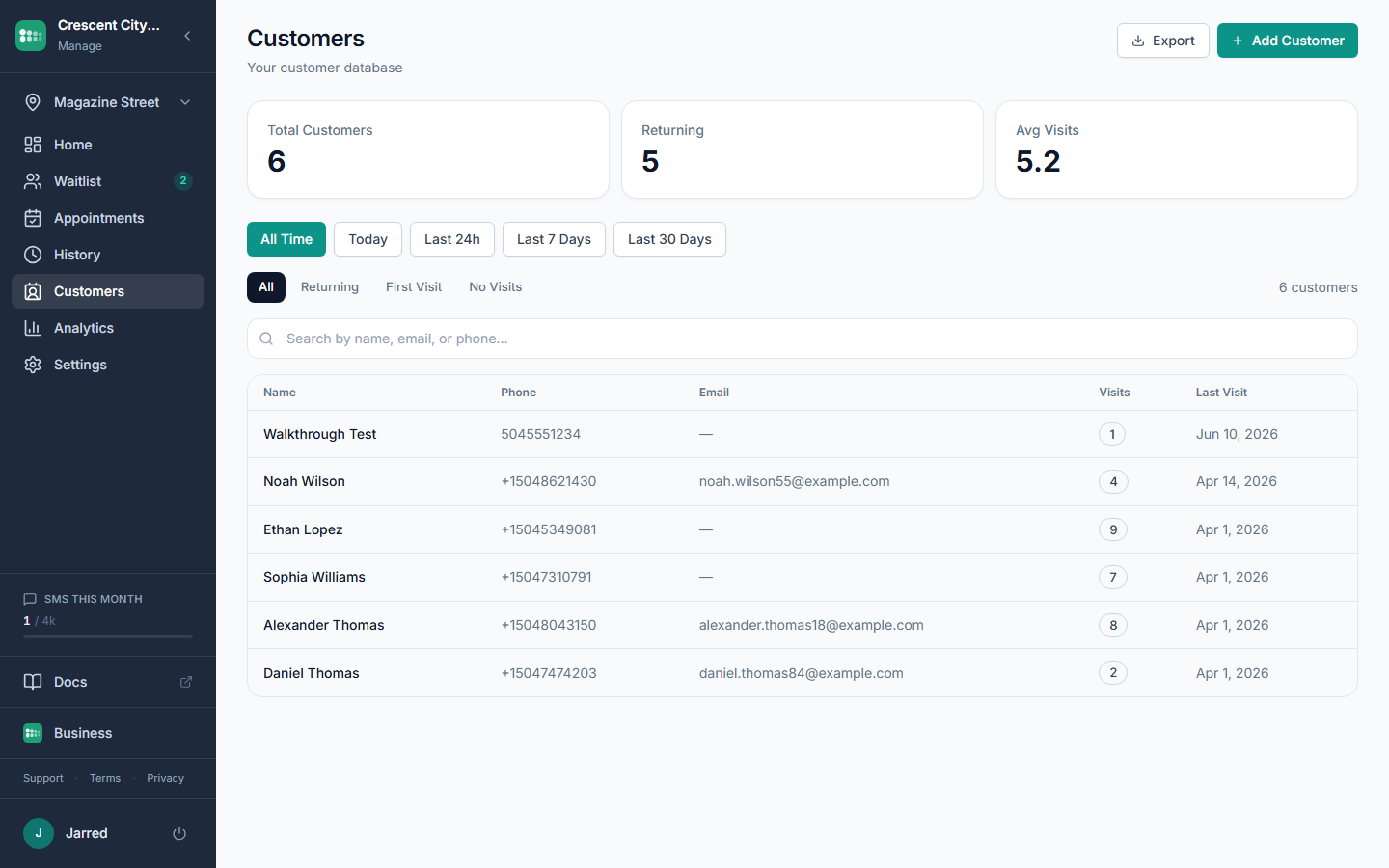
Each record stores first name, last name, email, phone, date of birth, notes, visit count, and the date of their last visit.
Find a customer
- Open Customers in the sidebar.
- Use the Search bar to match on name, phone, or email.
- Narrow by Time range (All Time, Today, Last 24h, Last 7 Days, Last 30 Days) or by Visit type (All, Returning, First Visit, No Visits).
- Click a card to open the detail drawer. You will see contact info, an Edit button, and recent entries for that customer.
Add, edit, or remove a customer
- Click Add Customer to create a record by hand (useful for phone-in reservations or VIP notes).
- Open any record and click Edit to correct a typo or update contact info.
- Use Delete to remove a record entirely. Their past queue entries stay in History, but the consolidated profile goes away.
- Click Export (included on the Business plan) to download Name, Phone, Email, Date of Birth, Visit count, and Last visit for every record matching your filters.
Common problems
- Same person shows up twice. They probably used a different phone on one visit and a different email on the other. Open both records, copy the contact info you want to keep, then delete the duplicate.
- Visit count is wrong. Visits only count when a queue entry is created. Staff-edited records do not bump the counter.
- Missing customers. Check the Visit type filter. "No Visits" hides anyone who has actually been in the queue, which is usually not what you want.
- Customer record not updating. Make sure the phone or email on the new entry matches the existing record exactly. A typo in the area code creates a second profile.