Waitlist management software that texts customers when it's their turn
MakeTheQueue replaces the clipboard at the front desk. Customers add their name from their own phone, see a live position and wait estimate, leave if they want, and get a text when you are ready for them. Staff run the whole list from one browser screen.
No credit card required. Free plan that stays free.
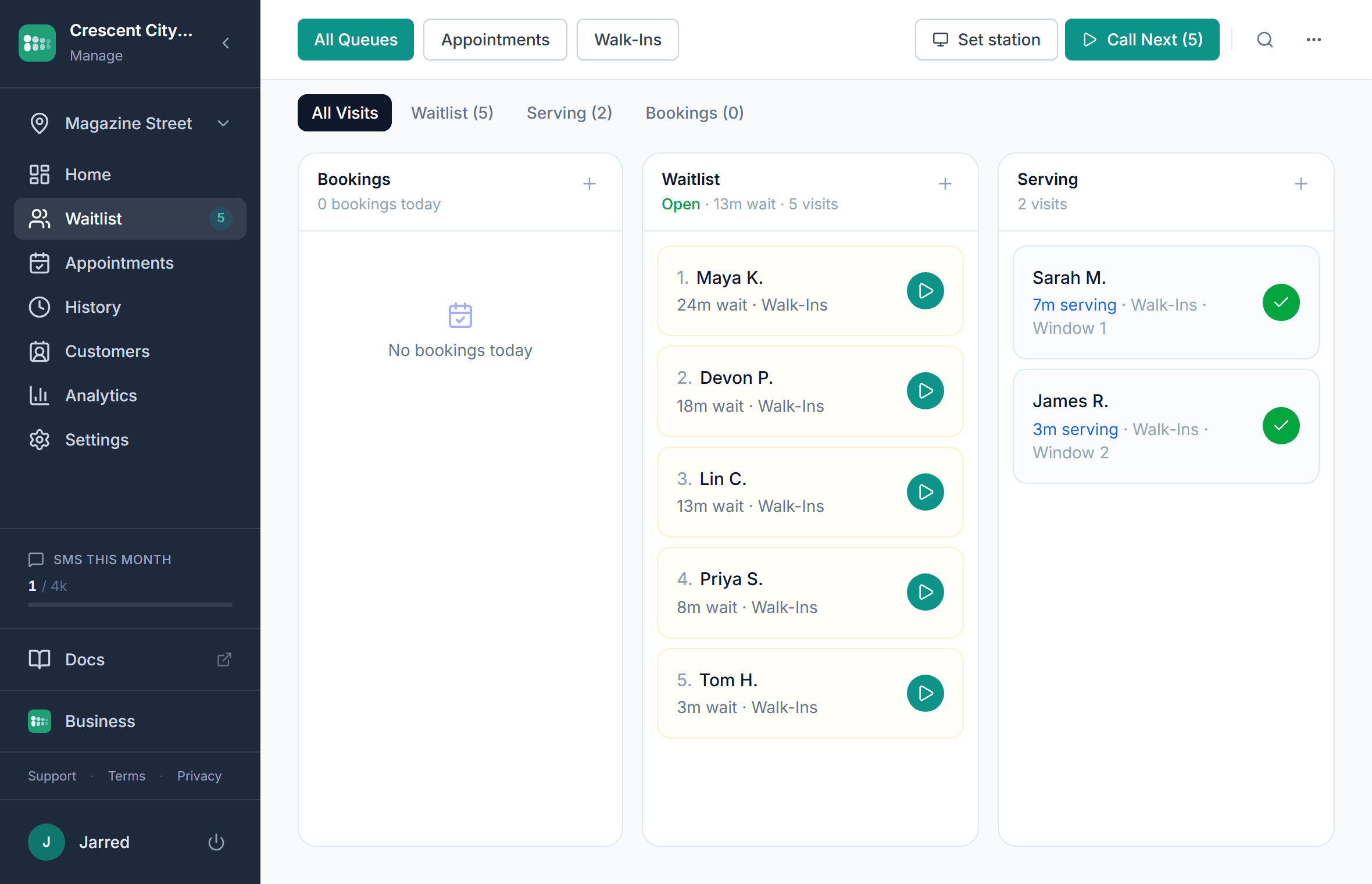
What waitlist management software does
Waitlist management software is the digital version of the sign-in sheet at a host stand or front desk. Customers join from their phone or a tablet at the door, each entry shows a live position and estimated wait, and the customer is texted or emailed when it is their turn. Unlike paper, it keeps a record of every visit and lets the customer wait wherever they like.
- Customers join by scanning a QR code, tapping a link, using a tablet kiosk, or being added by staff
- Every entry gets a status page with live position, estimated wait, and your business name and branding
- Texts go out automatically when the customer is getting close and when it is their turn; customers can reply
- Staff call the next person, mark them served, move people up or down, put someone on hold, or transfer them between queues
- Appointments and walk-ins sit in the same list, so a booked customer and a walk-in are called in the right order
- Every visit is recorded, so you can see wait times, peak hours, and repeat customers instead of a crossed-out name (see the definition of a digital waitlist in the glossary)
What is included
Text when it's their turn
An automatic text goes out when the customer is getting close and again when you are ready for them. They can reply to confirm, cancel, or ask for a few more minutes, and the list repositions them without a phone call. Texts are included on paid plans; the free plan uses email.
A status page instead of a phone call
Each customer gets a personal page in their phone browser showing their place in line and the current estimate. It updates on its own, so nobody has to ask how much longer. Nothing to download and no account to create.
Party size, service, and custom fields at join
Choose which fields the join form asks for: name, phone, email, party size, and any custom field you add, such as a preferred stylist or a vehicle plate. Staff see everything on the entry before they call the customer.
Wait estimates from real service times
The estimate comes from your recent completed visits, per service when you use services, and is divided by how many customers you are serving at once. A three-chair shop is not quoted like a one-chair shop. You can also set a manual per-person estimate, or hide the estimate entirely.
Kiosk and TV display included
Turn a spare tablet into a self check-in kiosk at the door and any TV with a browser into a now-serving board. Both are on every plan, including free, so customers without a phone still have a way in and a way to see their name called.
History and analytics
Visit history with a date range, average wait and service time, busiest hours, and repeat customers. Paid plans keep the full history and add analytics; Business adds CSV export of the waitlist, customers, and analytics.
What to look for in waitlist software
Feature lists in this category look alike. These are the rows where the tools actually differ, using each vendor's own published pages.
| MakeTheQueue | Waitwhile | Waitlist Me | NextMe | |
|---|---|---|---|---|
| Free plan that stays free | Yes, one location, no expiry | Not listed | Yes, single user | Not listed |
| Texts included on paid plans | Yes, with two-way replies | Yes; two-way on higher tiers | One-way texts only | One-way texts only |
| QR code join with no customer app | Yes | Yes | No QR self-join listed | Yes, web option |
| Self check-in kiosk | Any tablet, every plan | Yes | Basic | Basic |
| Waiting room TV display | Every plan | Yes | Basic | Not offered |
| Appointments in the same list as walk-ins | Paid plans | Yes | No | Limited |
| Per-seat or per-location fees | None, flat monthly plans | Per-location add-ons | Not listed | Not listed |
| Visit history export | CSV on Business | Higher tiers | No | Premium tiers |
Setting up your waitlist
Most businesses are live in under 15 minutes, with a QR code printed and the first customer on the list.
- 1
Create your account and location
Sign up, name your business, and add your first location with its opening hours and timezone. Self check-in follows those hours automatically. Create your first queue
- 2
Add a queue and, if you want, services
One queue is enough for most front desks. Add services (cut, color, consultation) when the wait depends on what the customer came for, so the estimate can use per-service times. Services and per-service estimates
- 3
Choose what the join form asks for
Turn intake fields on or off, mark them required, and add custom fields. Keep it short: a name and a mobile number is all a text alert needs. Queue settings
- 4
Turn on notifications and edit the wording
Enable email or text alerts, set how many places ahead the getting-close text fires, and edit the templates so they sound like you. Notification templates
- 5
Print the QR code and open the dashboard
Download the QR code for the location, put it at the door and the counter, and keep the dashboard open on whatever device the front desk already uses. Join link and QR code
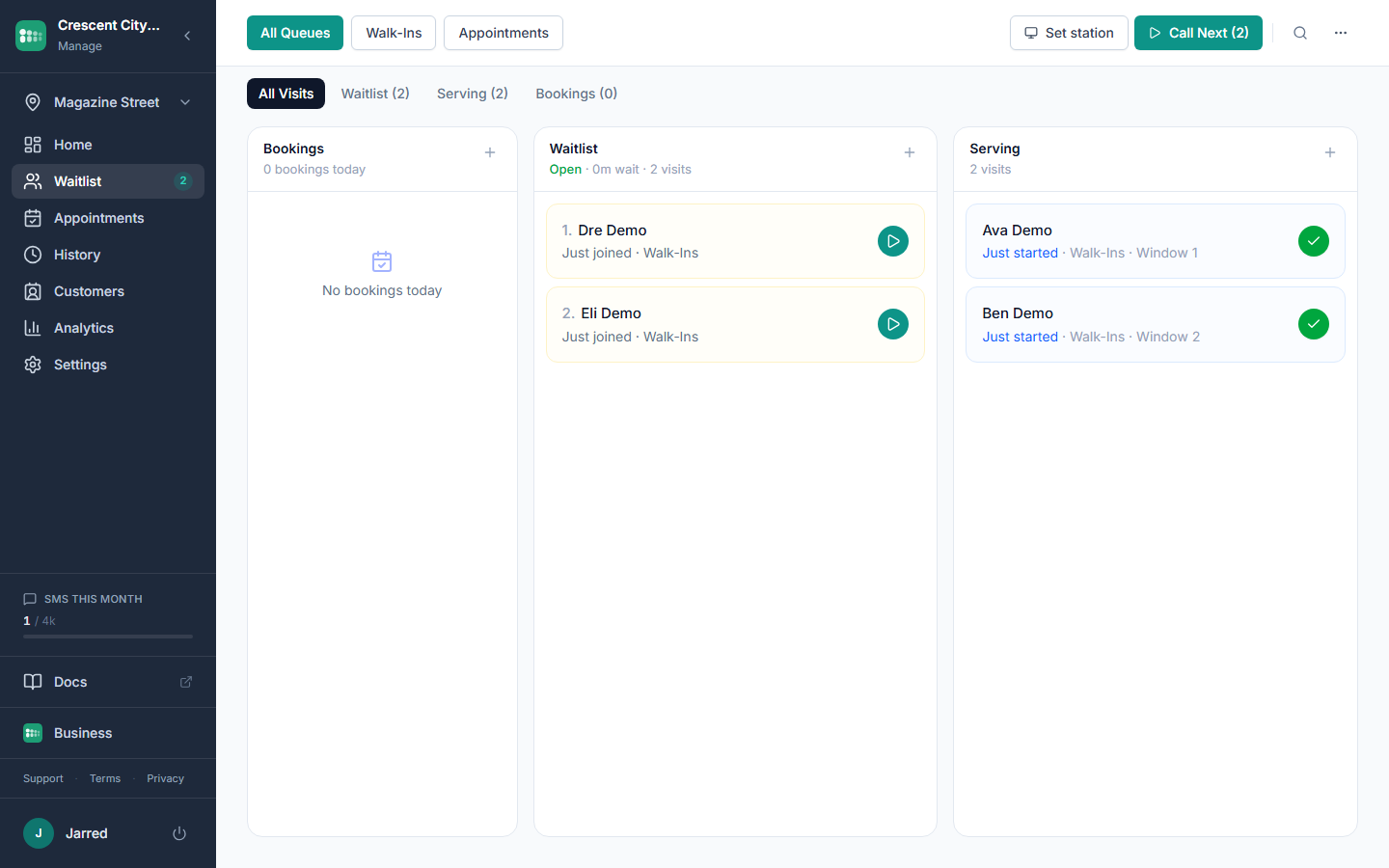
What changes when the list is digital
Fewer people give up in the lobby
Most walkouts happen because the customer has no idea how long the wait is and cannot leave without losing their place. A live position and a text that brings them back remove both reasons.
The front desk stops answering the same question
"How much longer?" is answered on the customer's own phone. Staff spend the time serving instead of estimating out loud.
You know what happened on Saturday
Paper lists get thrown away. A digital list tells you how long people actually waited, which hours overflowed, and who came back, so staffing decisions rest on records instead of memory.
Customers arrive ready
Party size, service, and any custom field are on the entry before the customer reaches the counter. The greeting starts with their name, not with a form.
Who uses a waitlist like this
The list works the same way everywhere. What changes is how you decide who is next, and each of these pages covers that for one kind of front desk.
- Restaurants
Party size drives the quote, guests wait wherever they like, and a text replaces the coaster pager.
- Barbershops
Walk-ins and bookings on one screen, with waits quoted per service and per chair actually working.
- Salons
Walk-ins fill the gaps between appointments, and a stylist request travels with the entry.
- Events
Registration desks, full sessions, and demo booths each get their own queue under one account.
- Service counters and offices
First come, first served, with a kiosk at the door and a now-serving screen on the wall.
Frequently asked questions
Questions about the software itself. Customer-side questions, like whether anyone needs to download anything, are answered on the virtual queue page.
Five things separate the tools: whether the free plan can run a real front desk, whether text messages are included or billed per message, whether you pay per staff seat, whether customers need an app, and whether you can see and export your history. The table on this page compares those rows across the tools small businesses shortlist most often.
Yes. The text that goes out when the table is ready does what the coaster pager did, with no range limit and nothing to hand out or sanitize. Guests without a phone can still be added by the host and called from the TV display. The restaurant pager alternative page walks through the host-stand setup.
A paper sheet is a dead end: a name goes on, a name gets called, and the sheet goes in the bin. A digital waitlist is a live channel. The customer sees their position, gets a text, can reply or leave the line, and the visit is recorded with its wait time and outcome.
Yes. Staff add a customer from the dashboard with a name and any other fields you use, and can serve them immediately if nobody is ahead. Staff entries bypass the opening-hours rule that applies to self check-in, so a regular who walks in at closing time can still be added.
On paid plans, yes. Customers book a time slot online and check in on arrival, and the booking appears in the same list as the walk-ins. Staff see one order, and the wait estimate for walk-ins accounts for the bookings ahead of them.
Each location has hours and a timezone. Outside those hours the check-in page and the kiosk show a closed notice instead of the join form, so nobody joins a list that will not be served. Staff can still add customers manually at any time.
Yes. A location can have more than one queue, for example one per department or one for pickups and one for consultations, each with its own services and settings. The customer picks the queue on the check-in page or the kiosk, and the free plan includes a couple of queues to start.
Visit history is visible in the dashboard on every plan, with the full history retained on paid plans. The Business plan adds CSV export for the waitlist, the customer list, and analytics, so the data leaves with you if you ever switch tools.
Simple pricing. Start free, upgrade when you need more.
Start free and upgrade when you need texts, appointments, or more locations. Every new account includes a full Business trial.
Start free