A restaurant pager system that texts guests instead of buzzing a coaster
Guests scan a code at the host stand, wait wherever they like, and get a text when their table is ready. They can reply if they are running late. It does the job of restaurant buzzers with nothing to hand out, charge, sanitize, or chase down at the end of the night.
No credit card required. Free plan that stays free.
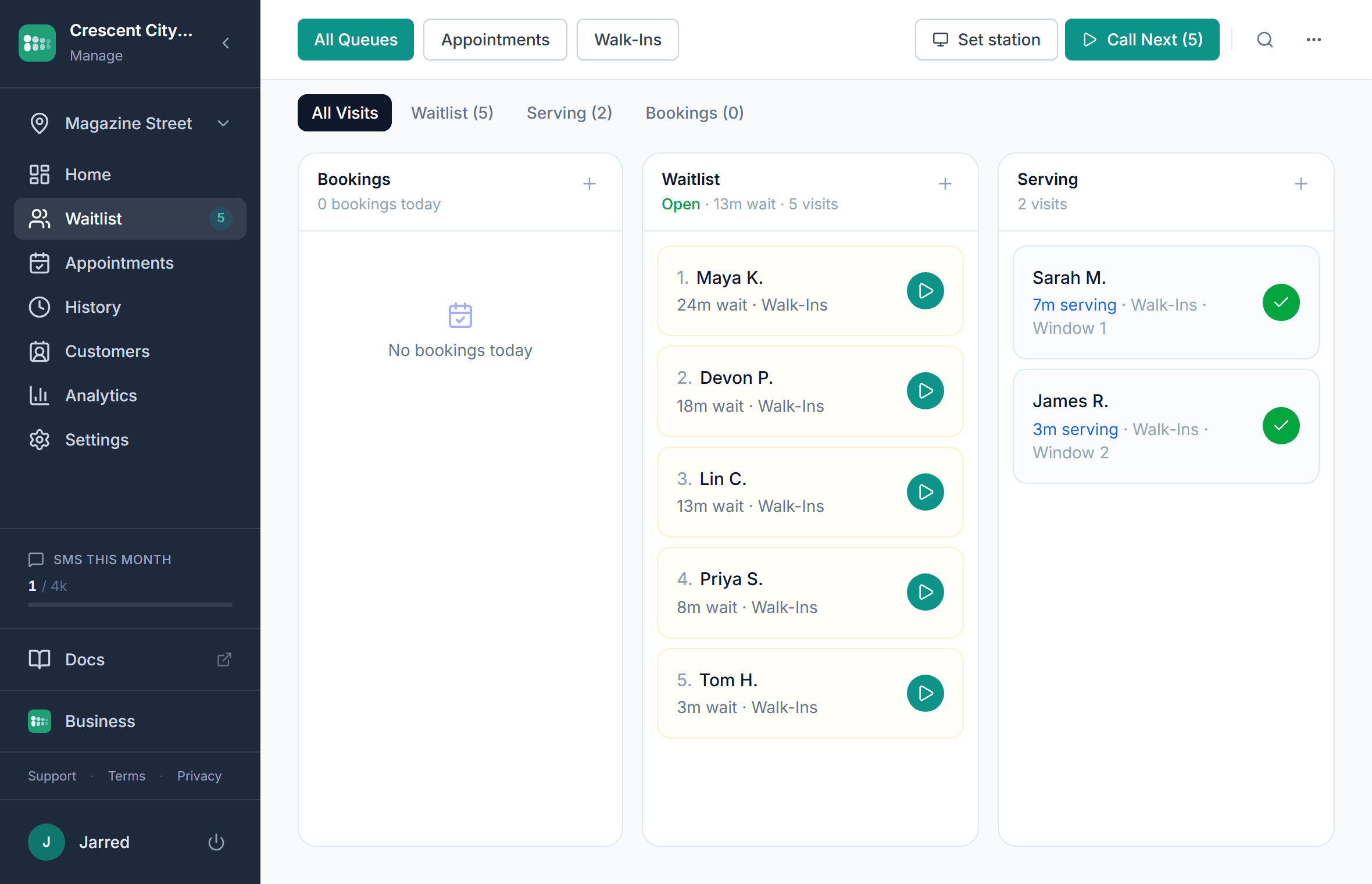
Why restaurants replace buzzers and table pagers
A restaurant pager system hands each waiting party a coaster buzzer that lights up when their table is ready. It works, within a few hundred feet of the host stand: guests who leave to browse are lost, and guests who stay crowd the entrance. Each unit costs money to buy, charge, sanitize, and replace when it walks out the door. A text-based pager system does the same job from the guest's own phone, with no range limit, a reply channel, and a record of every party.
- Range: a text reaches the parking lot, the bar down the street, or the shop next door
- Hardware: nothing to buy, charge, or sanitize between guests
- Loss: nothing to walk off with, so nothing to replace
- Replies: guests can confirm, ask for a few more minutes, or cancel from the text
- Records: every party, wait, and no-show is logged instead of forgotten
What the host stand gets
Text when the table is ready
The ready text is worded by you and includes a grace period. A getting-close text a few parties out gives guests time to walk back. Texts are on paid plans; the free plan sends the same alerts by email.
Two-way replies
Guests reply 1 to confirm, 2 to ask for more time (which moves them back a few places instead of off the list), or 9 to cancel. The host can also message a party directly from the entry.
Party size at join
Party size is a standard field on the join form, so a two-top and a party of eight are not quoted the same wait, and the host sees the size before deciding who fits the table that just opened.
Host adds walk-ins
Guests who do not scan are added from the dashboard in a few taps, with party size and a note. Same list, same order, same texts.
A now-serving display for guests without a phone
Any TV in the lobby shows who is being seated and who is next, with first names and last initials. Guests who would rather wait inside still know where they stand.
Works alongside reservations
On paid plans, online bookings check in to the same list as walk-ins. The host sees one order, and the walk-in estimate accounts for the bookings ahead.
How a text-when-ready waitlist works
The host stand keeps the same list it always did. The difference is that the guest carries it with them.
- 1
A guest scans the QR code at the host stand, or the host adds them by name
- 2
They enter a name, mobile number, and party size; the quote depends on the party size and who is ahead
- 3
A confirmation text arrives with a link to their status page: position, estimate, and a leave button
- 4
They walk away, and the page keeps updating as parties ahead are seated
- 5
When a matching table is close, a getting-close text tells them to start heading back
- 6
The ready text goes out with a grace period; they reply 1 to confirm, 2 for a few more minutes, or 9 to cancel
- 7
The host seats them and marks the party served; the next party's estimate drops
Restaurant buzzers vs text paging vs calling names
Three ways to call a party. Only one of them works from the parking lot.
| Text paging | Coaster pagers | Calling names | |
|---|---|---|---|
| Range | Anywhere with a phone signal | A few hundred feet | The lobby |
| Upfront cost | None: guests use their own phones | A pager kit: coasters, a transmitter, and a charging base | None |
| Ongoing cost | A flat monthly plan | Replacement pagers, batteries, and repairs | None |
| Guest can leave | Yes | Only within range | No |
| Guest can reply | Yes: confirm, more time, cancel | No | Only in person |
| No-show handling | Grace period, hold, or reposition from the dashboard | Buzz again and hope | Shout again |
| Record of the visit | Every party, wait, and outcome | None | None |
Setting up the host stand
Three things at the stand, and the list is ready before the dinner rush.
- 1
Print the QR sign for the host stand
Download the location's QR code and put it where guests stop to give their name. A printable scan-to-join sign is on the tools page. Join link and QR code
- 2
Turn on party size and set the estimate
Make party size a required field and choose whether the estimate comes from recent seatings or a manual per-party figure. You can hide the estimate from guests if you prefer to quote it in person. Queue settings
- 3
Write the ready text
Edit the getting-close and ready messages so they sound like your restaurant, set how many parties ahead the first text fires, and pick the grace period. Notification templates
- 4
Add a tablet kiosk if the stand gets crowded
Open the kiosk link on a spare tablet so guests can add themselves while the host is seating someone else. It resets itself after a minute. Setting up a kiosk
- 5
Keep the dashboard open at the stand
The list runs in a browser on whatever the host already uses. One button seats the next party and sends the next text. Managing the waitlist

What changes at the door
The entrance clears
Parties that used to hover within pager range go for a walk instead. The host stand stops being a crowd.
Fewer lost parties
A pager that never buzzed because the guest wandered out of range becomes a text that arrives wherever they are, with a reply if they are on their way.
No pager budget
Nothing to buy up front, nothing to replace when a coaster ends up in a handbag, nothing to wipe down between guests.
A record of the night
Average wait by hour, parties that left, and how long tables actually took. Useful the next time someone asks why Friday felt slow.
Who replaces pagers this way
- Restaurants and cafes
The full restaurant page: party-size quoting, reservations plus walk-ins, and the host-stand workflow.
- Breweries and food halls
One code per stall or bar, and guests hold a place at one while they order at another.
- Any counter that calls names
Pair the text with a kiosk and a now-serving screen for guests who did not scan.
Frequently asked questions
A hardware pager system is an upfront purchase: a set of guest coasters, a transmitter at the host stand, and a charging base, with replacements bought as pagers break or go missing. Kit prices rise with the number of pagers and the range. A text-based system has no hardware to buy; MakeTheQueue starts free with email alerts, and table-ready texts come with the flat monthly paid plans listed on the pricing page.
The host adds them by name without a number, and they are called from the lobby display or by name when their table is ready. The order of the list is the same; they just do not get the text.
Texts are delivered by the phone network, not your wifi, so they arrive as soon as the guest's phone has service, which is usually by the time they step outside. Guests who stay in a dead spot can watch the lobby display instead.
Text alerts and two-way replies are included in the paid plans, with a monthly allowance listed on the pricing page rather than a per-message fee. The free plan sends the same alerts by email.
Yes, on paid plans. Guests book a time online and check in on arrival, and the booking sits in the same list as the walk-ins. The host sees one order, and walk-in estimates account for the bookings ahead of them.
The ready text carries a grace period you choose. If the party does not confirm or arrive, the host can put them on hold, move them back with the more-time option, or remove them, and seat the next party. Removed and cancelled parties are recorded in the history.
Yes. Reply 1 confirms they are coming, 2 asks for a few more minutes and moves them back a few places, and 9 cancels. Anything else lands in the two-way message thread on the entry, where the host can answer.
Simple pricing. Start free, upgrade when you need more.
Start free and upgrade when you need texts, appointments, or more locations. Every new account includes a full Business trial.
Start free