A free waitlist app your customers join by scanning a QR code
MakeTheQueue's Free plan runs a real front desk: a QR code at the door, a live position page on the customer's phone, email alerts, a tablet kiosk, and a now-serving TV display. It does not expire and it does not ask for a card.
No credit card required. Free plan that stays free.
What the free plan is
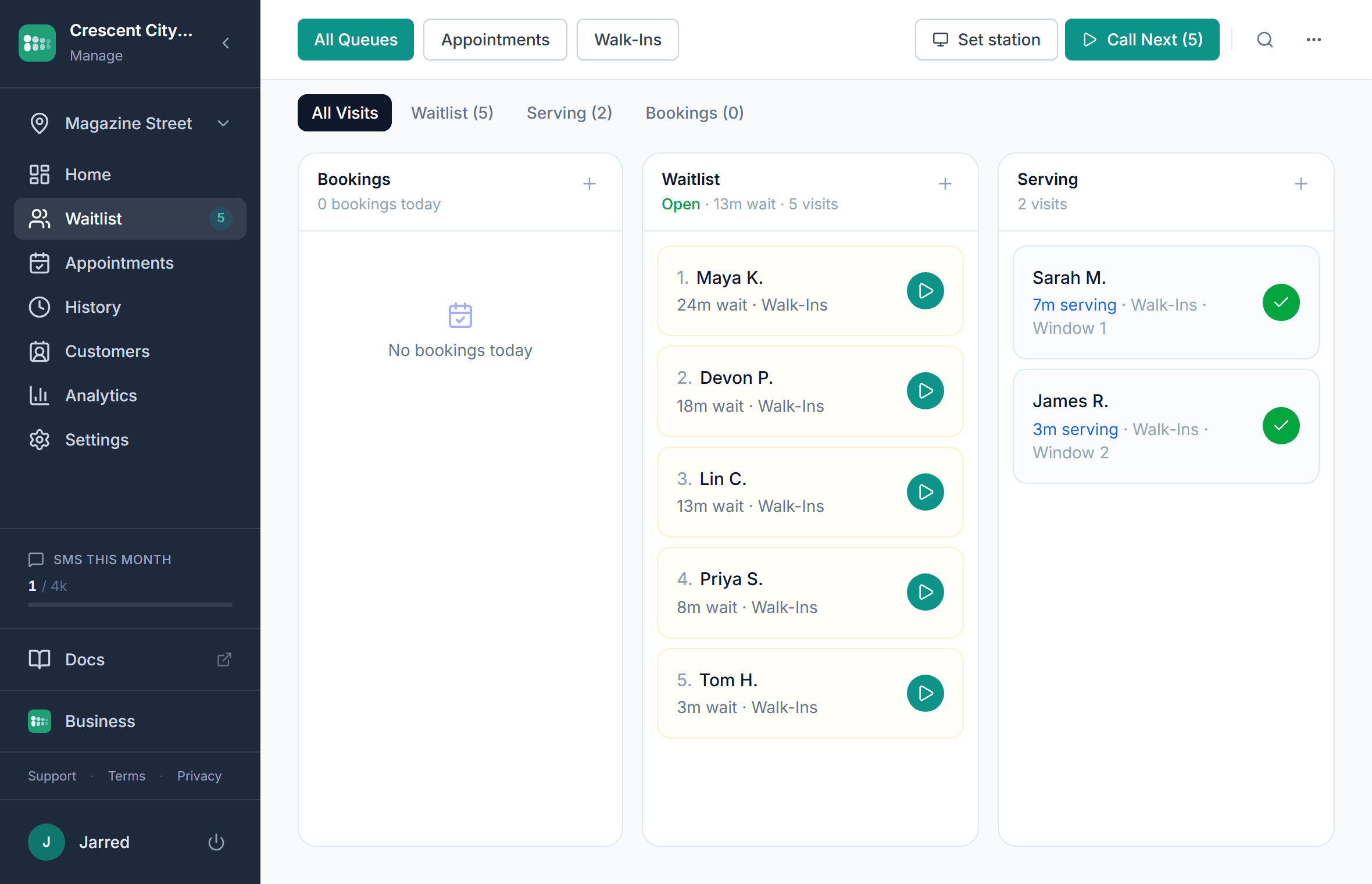
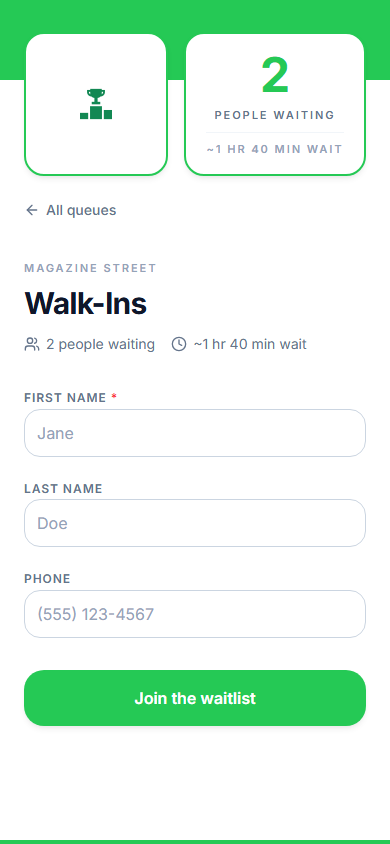
The Free plan is a working waitlist for one location, not a trial with an end date. Customers join by QR code, link, kiosk, or a staff member, see their live position and estimated wait on their phone, and get an email when it is their turn. Staff run the list from any browser. Text messages, appointments, analytics, and a bigger team are what the paid plans add.
- One location with a couple of queues, enough for a single shop, counter, or host stand
- The same QR code join, status page, kiosk, and TV display the paid plans use
- Email alerts when the customer is called; text alerts are a paid-plan feature
- Staff can add walk-ins, call next, mark served, hold, and reorder
- A week of visit history in the dashboard; older days are kept and unlock if you upgrade
- Exact limits for every plan are on the pricing page
What is in the free plan
QR code join
Print the code once. Customers scan it, fill in a short form, and they are on the list. The same link works from your website, Google Business Profile, or Instagram bio.
Live position page
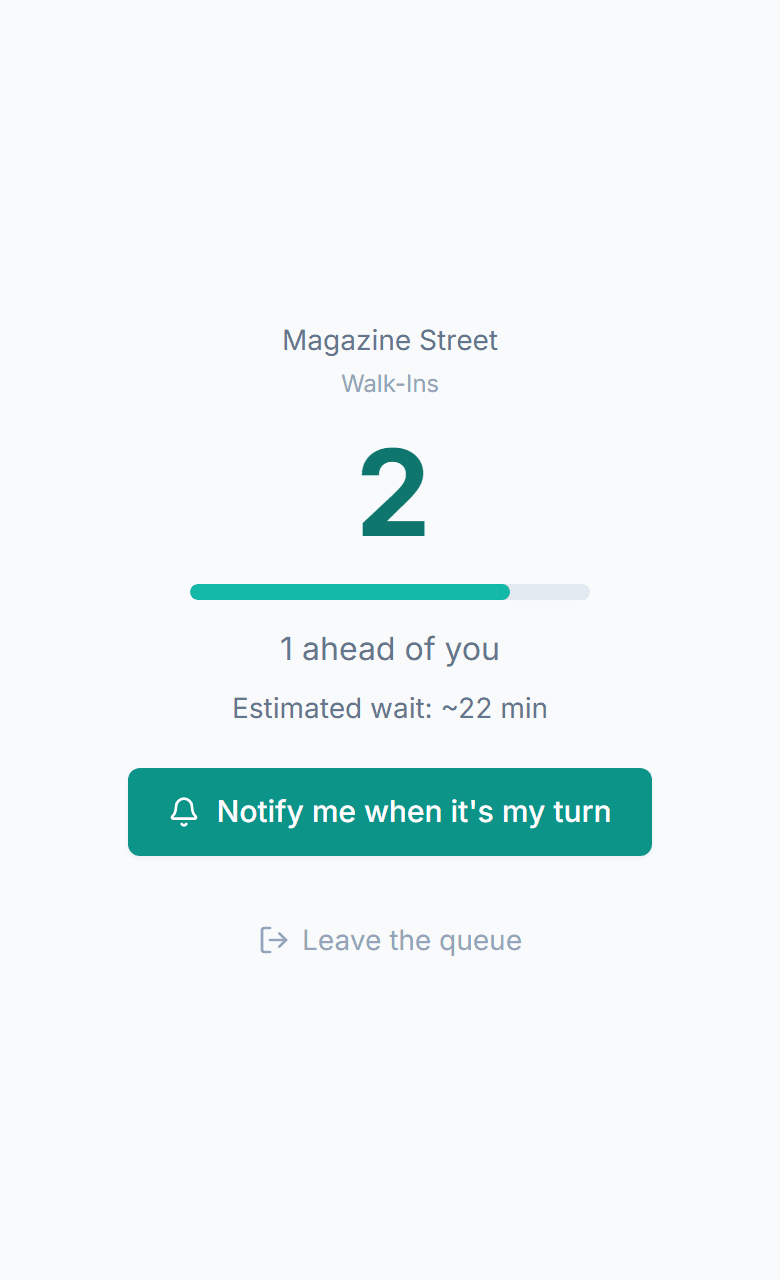
Each customer sees their place in line and the estimated wait on a page in their phone browser. It updates on its own and lets them leave the line if plans change.
Email alerts
An email goes out when you call the customer. On the free plan this is the notification channel; texts with two-way replies come with the paid plans.
Self check-in kiosk
Any tablet becomes a check-in station at the door. It shows your queues, walks the customer through the form, and resets itself after a minute of inactivity.
Waiting room TV display
A now-serving board for any TV with a browser: who is being served, who is next, and estimated waits, with first names and last initials only.
Website widget
Drop a small script on your site and customers can join the line from your homepage. Same queue, same status page.
One week of history
See every visit from the last seven days with its wait and service time. Nothing older is deleted; paid plans show the full history and add analytics.
Staff add walk-ins
Add a customer who did not scan, serve them straight away if nobody is ahead, edit their details, or move them up the list. All from the same dashboard.
Free waitlist apps compared
Free tiers are where the differences hide. These rows are from each vendor's published pages.
| MakeTheQueue Free | Waitlist Me | Waitwhile | NextMe | |
|---|---|---|---|---|
| Cost | Free | Free tier, single user | Paid tiers listed | Paid tiers listed |
| Expiry | Never | Not listed | Not applicable | Not applicable |
| Alerts on the free tier | Email; texts on paid plans | One-way texts; credits may be limited | Not applicable | Not applicable |
| QR code join | Yes | Not listed | Yes | Yes |
| Self check-in kiosk | Yes, any tablet | Basic | Yes | Basic |
| Waiting room TV display | Yes | Basic | Yes | Not offered |
| History export | CSV on Business | No | Higher tiers | Premium tiers |
Set up your free waitlist in one sitting
No card and no sales call. Under 15 minutes from signup to a printed QR code.
- 1
Sign up and name your location
Create the account, add your business name, and set the location's hours and timezone so self check-in closes when you do. Getting started
- 2
Create a queue
One queue covers most front desks. Choose which fields the join form asks for; a first name and an email or mobile number is enough. Create your first queue
- 3
Turn on email alerts
Enable the email notification for the queue and edit the wording. Customers get it the moment you call them. Email setup
- 4
Put a tablet at the door and a TV on the wall
Open the kiosk link on any tablet and the display link on any TV browser. Both are optional, and both are on the free plan. Waiting room display
- 5
Print the QR code
Download the code from the location's settings, put it at the door and the counter, and take your first customer. Join link and QR code
What you get without paying
A real line, not a demo
The free plan takes real customers all day. There is no watermark on the customer pages and no cap on how many people can join.
Your data stays yours
Nothing is deleted when you stay on the free plan. History older than a week is retained and becomes visible if you ever upgrade.
A clear line to the paid plans
When you want text alerts, appointments, analytics, or more staff logins, the upgrade keeps every queue, customer, and setting in place.
A full Business trial first
Every new account starts with a full Business trial, no card required, so you can try texts and appointments before deciding whether you need them.
Who runs on the free plan
- Barbershops and salons
A single-chair or small-shop waitlist with a code on the door and a display on the wall.
- Restaurants
A host-stand list with party size; upgrade when you want table-ready texts.
- Events
A one-day queue for a pop-up or a booth, with the trial covering most single events.
- Counters and offices
A kiosk and a now-serving screen for a first-come, first-served counter.
Frequently asked questions
Yes. The Free plan has no time limit and no card on file. It covers one location with a couple of queues, email alerts, the kiosk, the TV display, the website widget, and a week of visit history. The exact limits are listed on the pricing page.
Every new account starts with a full Business trial. When it ends you move to the Free plan automatically unless you pick a paid plan. Your queues, customers, and settings stay; features that belong to the paid plans, such as text alerts and appointments, switch off until you upgrade.
No. Signing up, using the trial, and staying on the Free plan never asks for a card. You add one only when you choose a paid plan.
Text messages and two-way replies, online appointments, analytics, custom fields, the API, more than one location, and a bigger team. The free plan notifies customers by email and shows a week of history. Everything else in the product is included.
CSV export of the waitlist, customers, and analytics is a Business plan feature. On the free plan the history is visible in the dashboard, and a waitlist is live data that resets daily, so most businesses switching tools recreate their queues rather than migrating anything.
Yes. Upgrading keeps every queue, customer record, setting, and the full history, including days that were hidden on the free plan. Downgrading again keeps the data too; only the paid features switch off.
Simple pricing. Start free, upgrade when you need more.
Start free and upgrade when you need texts, appointments, or more locations. Every new account includes a full Business trial.
Start free