Stop losing customers who wander off while they wait
MakeTheQueue sends SMS queue notifications at every step: a confirmation when customers join, a heads-up when they're getting close, and a 'you're up' text that brings them back to the counter. Customers can reply, and your staff answers from the dashboard.
No credit card required · Free plan included
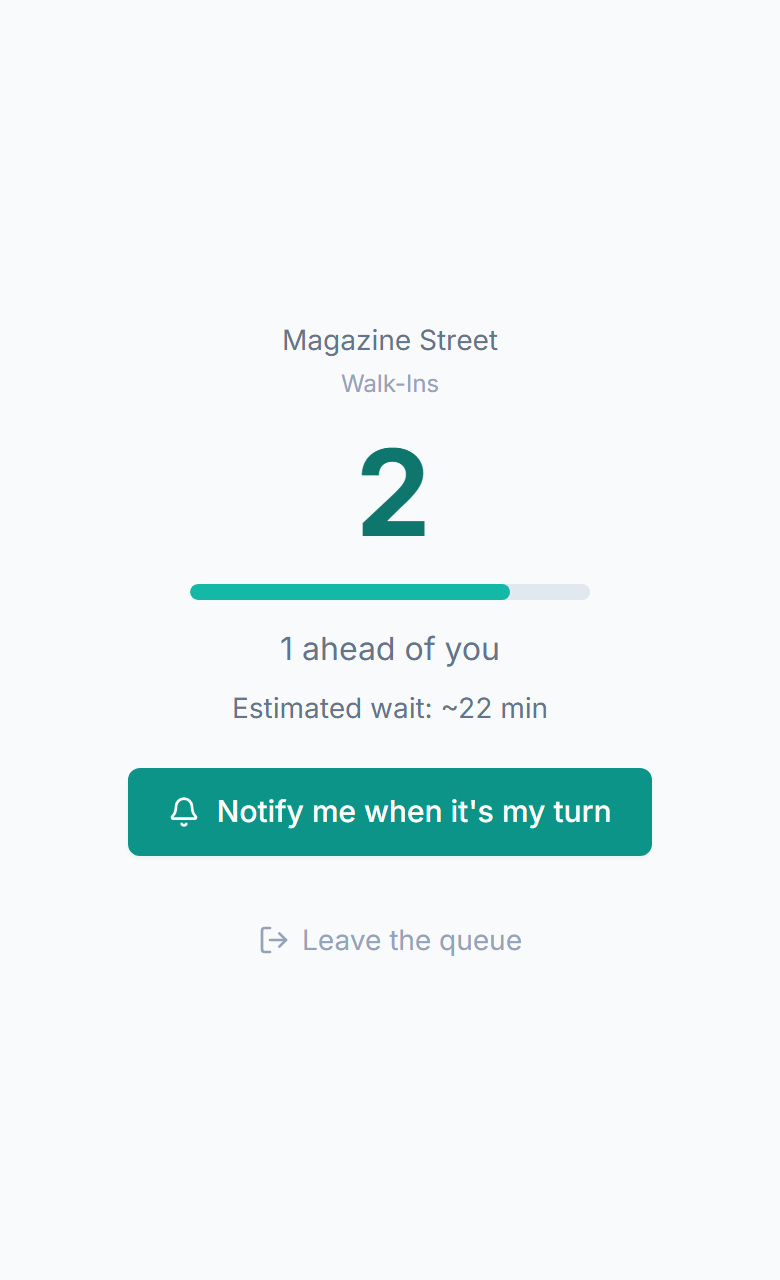
What SMS queue notifications actually do
SMS queue notifications are simple: the queue texts your customers so your staff doesn't have to chase them. They do three jobs. First, status updates: position changes, 'you're almost up' warnings, and 'it's your turn' alerts keep customers informed without anyone asking staff. Second, two-way conversation: customers reply to update party size, mention they're running late, or cancel, and staff answer from the dashboard. Third, they bring people back: every text links to the customer's live status page, so customers return when it's their turn instead of wandering off for good. Industry data puts SMS open rates near 98%, which is why texting works where email and apps don't.
- Status updates: automatic texts at configurable trigger points (position change, approaching turn, now serving)
- Two-way messaging: customers reply to ask questions, update info, or cancel, and staff respond from the dashboard
- Every text includes a link to the customer's live status page, so they can check their place anytime
- Industry data puts SMS open rates near 98%, far ahead of typical email and push notification rates
- Configurable timing: set when alerts fire (3 people ahead, 5 minutes out, your turn now)
- Branded sender: messages include your business name so customers know who's texting
Everything you need
Automatic status alerts
Customers receive texts at the moments that matter: confirmation when they join, warning when they're approaching the front, and notification when it's their turn. Each trigger point is configurable.
Two-way SMS conversations
Customers reply to any notification to start a conversation. 'Running 5 minutes late,' 'Can I add one more person?,' 'What's the wait like?' Staff see it on the dashboard and reply instantly.
Texts that bring people back
Every SMS includes a link to the customer's live status page. They can check their place from the coffee shop next door and head back when it's almost their turn, instead of giving up and leaving.
Branded message templates
Messages include your business name and can be customized. 'Hi Sarah, you're 3rd in line at Main Street Barbershop. Check your status: [link]' instead of a generic system message.
Configurable trigger points
Set exactly when each notification fires. Alert at 3 people ahead, 5 minutes estimated, or specific position numbers. Different triggers for different queue types: a restaurant may want a 1-ahead alert, a clinic may want a 10-minute warning.
Full message history
Every text sent and received is stored with the customer's entry. If someone says they never heard from you, staff can see exactly what was sent and when, right from the dashboard.
How SMS keeps your queue moving
One text isn't enough. A short series of well-timed messages keeps customers informed from the moment they join to the moment they're served.
Customer joins the queue and provides their phone number
Confirmation SMS arrives immediately with position, wait estimate, and status page link
Customer taps the link, views their status, then puts their phone away
Position-change SMS arrives, and the customer checks the link again to see they've moved up
'You're almost up' SMS fires when they're approaching the front, so they start heading back
'It's your turn' SMS brings them to the counter, ready to be served
Every customer gets the same steady updates, so fewer people give up and walk away
How SMS queue notifications work across industries
Restaurant
Guest joins the waitlist and gets a confirmation text: 'You're 5th at Lucia's Trattoria. ~25 min wait. Track your status: [link].' They go to the bar. Ten minutes later: 'You're next! Head to the host stand.' The SMS replaces the buzzer, the name-shout, and the '5 more minutes' that means 15.
Barbershop
Customer joins and gets: 'You're 3rd at The Chop Shop. ~20 min. [link].' They walk to the coffee shop. Reply comes in: 'Can I switch to a beard trim instead?' Staff sees it, updates the service, adjusts the estimate. Two-way SMS replaced a phone call or a wasted trip back.
Clinic
Patient checks in and gets: 'Checked in at Riverside Urgent Care. 2 patients ahead. [link].' They wait in their car. SMS arrives: 'Room 3 is ready. Please come to the front desk.' The patient walks straight to the exam room without sitting in the waiting room.
Hotel
Guest joins the check-in queue and gets: 'Welcome to The Grand. You're 4th in line. ~12 min. [link].' They sit in the lobby lounge. 'You're next at the front desk' text arrives. The check-in process starts immediately, with no standing in line with luggage.
Event
Attendee joins the merch line virtually: 'You're 12th in the merch queue. ~15 min. [link].' They go watch the next panel. 'You're 2nd! Head to the merch booth.' They arrive, grab their items, and miss nothing. SMS turned a 15-minute line into 30 seconds of actual transaction.
Retail
Customer needing a fitting room joins the queue: 'You're 3rd for a fitting room at Cedar Lane Outfitters. [link].' They continue browsing. 'Fitting room 4 is ready for you!' They walk over with 3 more items they found while waiting. The wait turned into more shopping, not a walkout.
What SMS notifications deliver for queue management
Messages that actually get seen
Industry data puts SMS open rates near 98%, far ahead of email and app push notifications. When you send a queue update by text, it gets read, and that's what determines whether customers show up when called.
Fewer no-shows
Customers who get a timed 'you're almost up' text are far more likely to be there when called. The text reaches them wherever they wandered and gives them time to walk back. Without it, they lose track of time or drift too far away.
Fewer 'how much longer?' questions
When customers receive position updates by text, they stop asking staff. Each SMS answers the question before it's asked, freeing staff to focus on serving instead of managing expectations.
Faster transitions between customers
The 'you're next' SMS gets customers moving early. They're already walking to the counter when the current person finishes, so there's almost no dead time between serves.
Why MakeTheQueue SMS vs. alternatives
vs Shouting names and PA announcements
- Works beyond the room: customers in the parking lot, next door, or down the street get the message
- No missed calls because the lobby was noisy or the customer stepped outside
- Two-way: customers respond, ask questions, and update their info without returning
- Every notification is logged, so you know exactly when each customer was contacted
vs Email notifications
- Industry data puts SMS open rates near 98%, far higher than typical email open rates
- Delivered in seconds, not filtered to spam or promotions tabs
- No email client required: works on every phone, including basic models
- Replies are instant and conversational, not formal email threads
vs App push notifications
- No app download barrier: SMS works without installing anything
- Push notifications need permissions that many users simply deny
- SMS reaches customers who disabled app notifications or uninstalled
- Universal: works on iOS, Android, and basic phones without smartphones
Frequently asked questions
SMS queue notifications are automatic text messages sent to customers at key moments in their queue experience: when they join (confirmation), when their turn is approaching (warning), and when it's time to be served (call forward). They also enable two-way messaging: customers can reply to ask questions, update their info, or cancel.
When a customer receives any queue notification, they can reply directly. Their reply appears on the staff dashboard as a conversation thread. Staff respond from the dashboard, and the reply goes back as an SMS. Common uses: 'Running 5 minutes late,' 'Can we add 2 people?,' 'What's on the menu?' No phone calls needed.
Industry data puts SMS open rates near 98%, while email and push notifications are read far less often. Queue updates are time-sensitive: a 'you're next' message seen 2 hours later is useless. Texts are usually read within minutes, which makes SMS reliable enough for real-time queue communication.
Yes. You configure the trigger points: send an alert when the customer is 3 positions away, 5 minutes from being served, or at any threshold you set. You can also customize the message text and include your business name. Different queues can have different notification rules.
Customers provide their phone number when joining the queue, which serves as their consent. They can reply STOP at any time to opt out. The messages are transactional (directly related to their queue experience), not marketing, so they're expected and wanted.
No-shows happen when customers forget they're in the queue, wander too far, or lose track of time. The 'you're almost up' text, sent a few positions ahead, reaches them wherever they are and gives them time to return. It's a nudge at exactly the right moment, and it means far fewer empty calls and skipped turns.
Built for your industry
Simple pricing. Start free, upgrade when you need more.
Start on Starter with every core feature from day one, or pick Business for analytics, exports, and multi-location. Full Business trial on every new account.
Start Free Trial