The Plan page shows which MakeTheQueue plan your organization is on, your SMS usage for the month, and everything included at your tier.
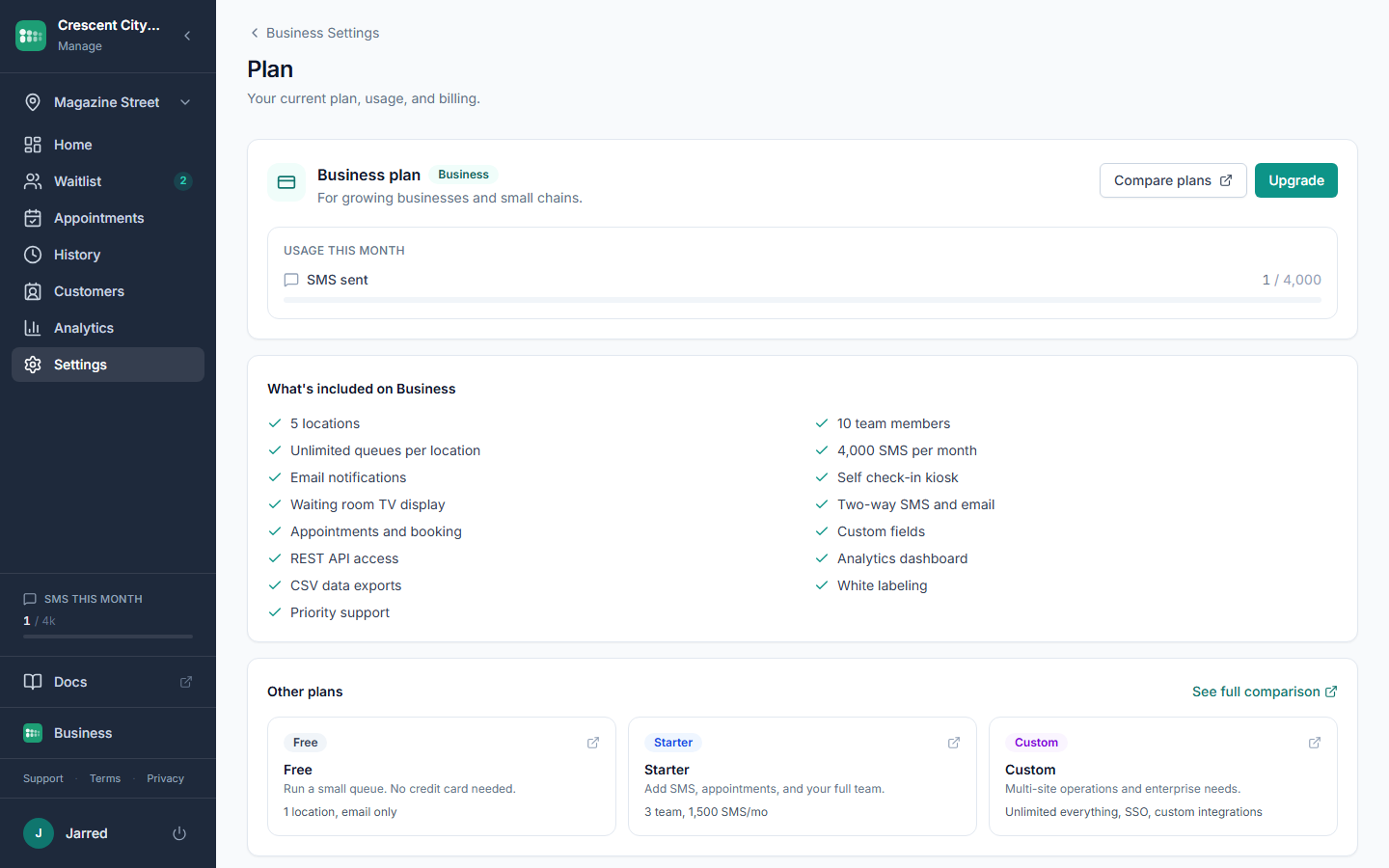
Where to find your plan
- Open Settings in the admin sidebar.
- Click Plan.
- The page shows your current plan: Free, Starter, Business, or Custom, plus your SMS usage this month and the full feature list for your tier.
The trial
Every new account starts on a free trial of the Business plan, so all features are unlocked from day one. A countdown appears in the sidebar and on the Plan page while the trial is running. When it ends, your account moves to the Free plan automatically; nothing is deleted, and upgrading restores access to everything you used during the trial.
What the plans cover
- Free covers the core waitlist: self check-in, the waiting room display, the embeddable widget, and email notifications, with the last 7 days of history.
- Paid plans add SMS and two-way messaging, appointments, custom fields, the analytics dashboard, REST API access, and unlimited history.
- Business adds CSV exports, white labeling, more locations and team members, and a larger SMS allowance.
- Custom covers larger deployments; contact us to talk through it.
Current pricing and a full feature comparison are always on the pricing page.
Changing plans
Self-serve checkout is coming soon. Until then, the Upgrade button on the Plan page points you to the pricing page, and plan changes, payment updates, and invoices go through our support team. We will handle the switch and confirm by email.
Common problems
- A feature I used during the trial is now locked. Your trial ended and the account moved to Free. Upgrading restores it; nothing was deleted.
- I need an invoice or receipt. Email support and we will send one for your records.
- My plan shows as Free but I am paying. Reach out so we can verify your billing status and update the record.
- I want to cancel. Contact support and we will stop future charges while keeping your data accessible.